← Avi Shah Force Systems Ads →
Founder case study2026

Force
Systems.

A contractor growth system I built, sold and operated.

Force Systems brings acquisition, sales, onboarding, billing and client operations into one connected system.

See how it works ↓

One path from first click
to a live client.

The visual below shows how the parts connect. Each layer removes a manual hand-off and keeps the next action visible.

01Sales
Landing page→Follow-up→Booked call
02Client onboarding
Sign-up→Form + reminders→Launch
03Operations
Client dashboard+Stripe
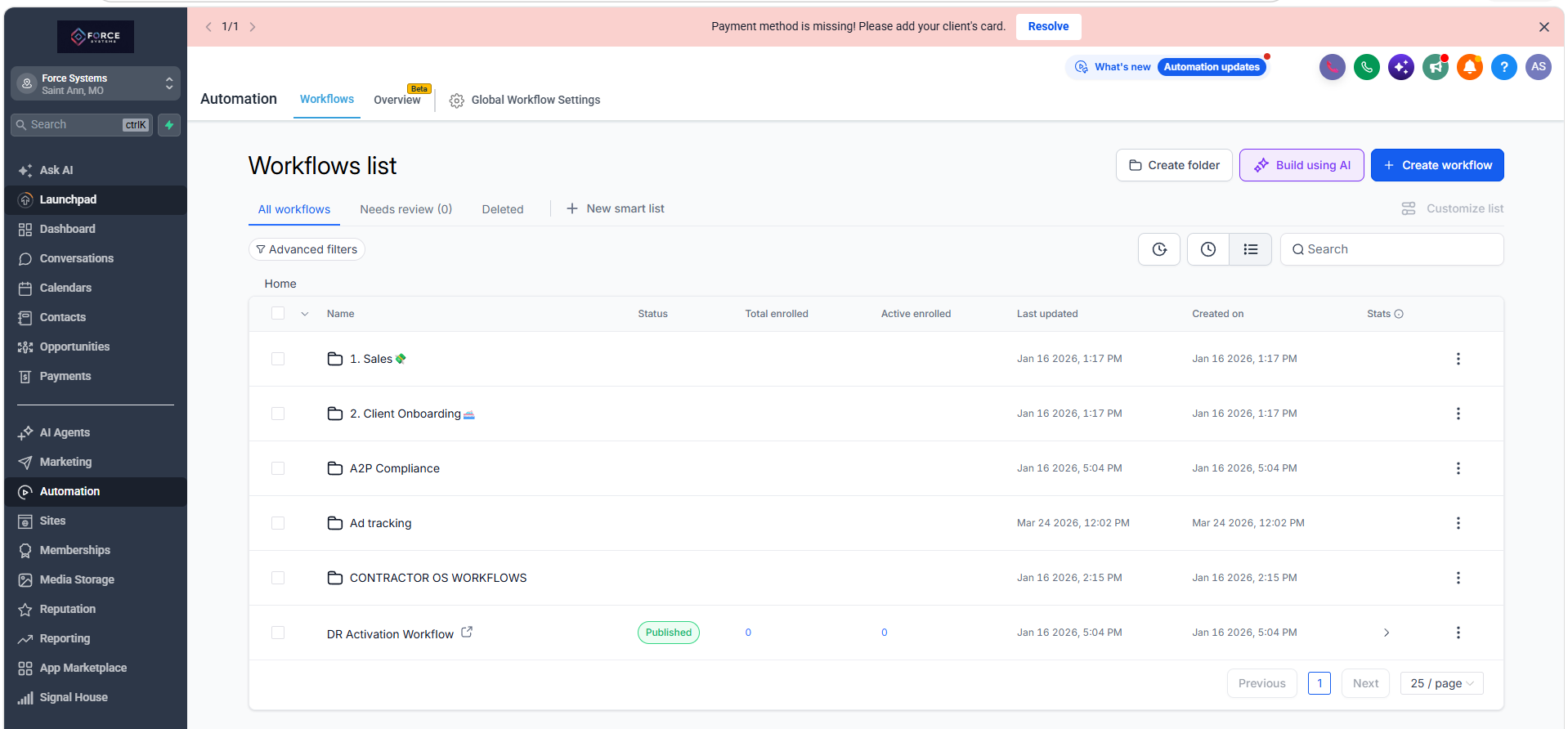
Force Systems workflow folders for sales and client onboarding
Workflow architectureSales + client onboarding

The automated
operating layer.

A walkthrough of the system that turns a booked call into structured follow-up, onboarding and client delivery.

Follow-up that does not
depend on memory.

The sales workflow connects lead capture, call confirmations and no-reply follow-ups. It keeps each prospect moving without the usual manual chasing.

See the customer-facing landing page ↗
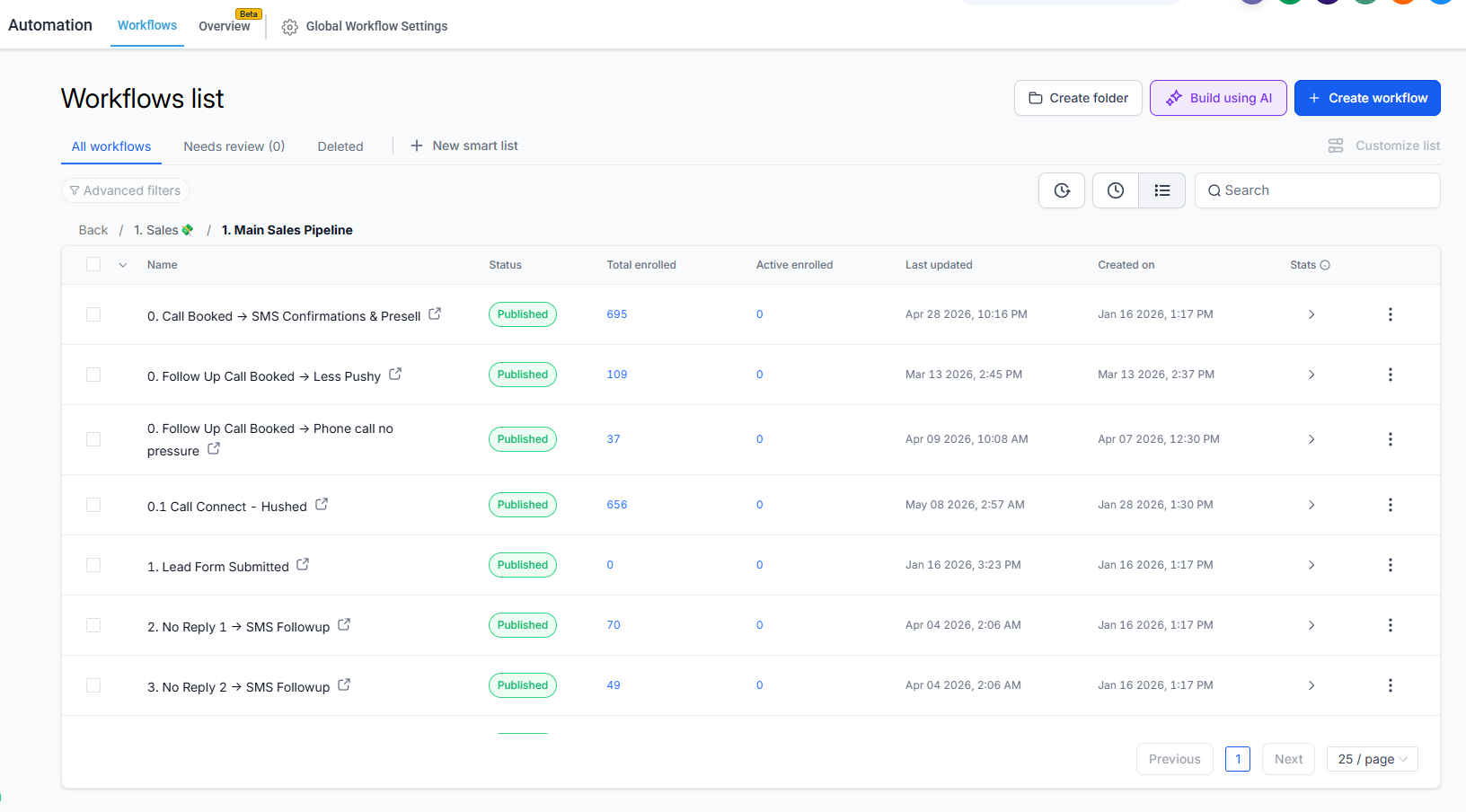
Force Systems sales automation workflow list
Sales workflowLead capture → booked call

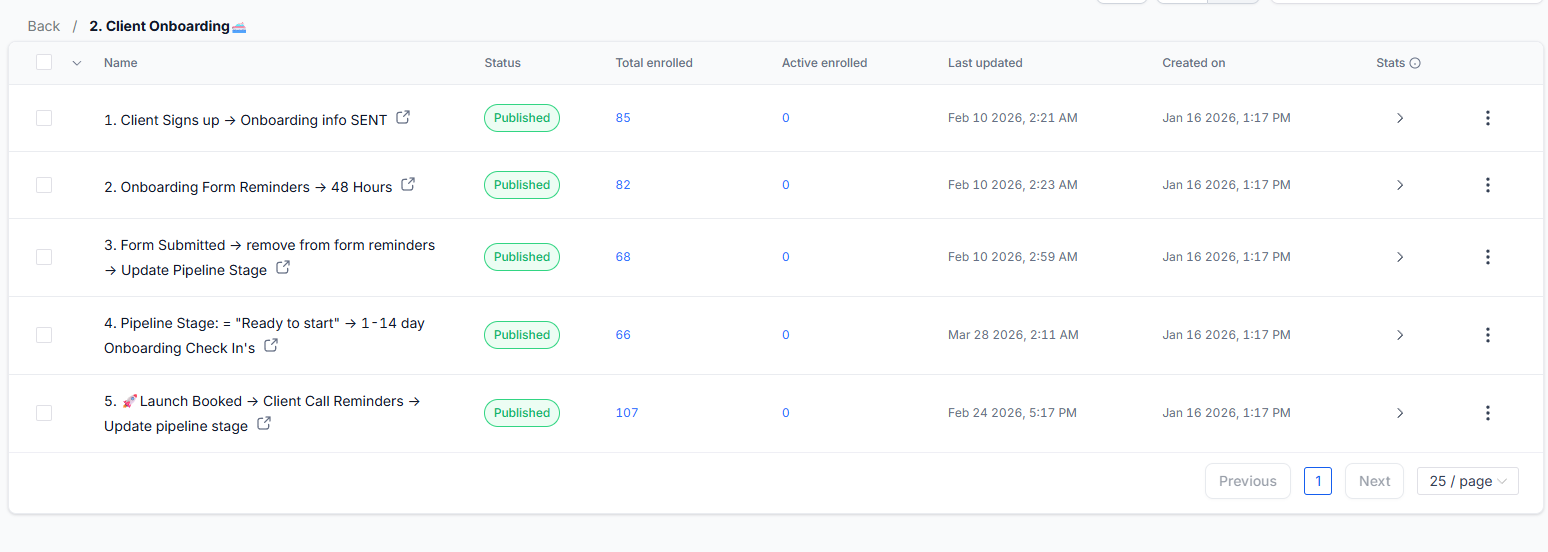
Five steps from signed
to ready to launch.

  1. 01

    Client signs up

    Onboarding information sent
  2. 02

    Form outstanding

    48-hour reminder
  3. 03

    Form submitted

    Reminders stop and stage updates
  4. 04

    Ready to start

    1-14 day onboarding check-in
  5. 05

    Launch booked

    Call reminders and stage update
Five Force Systems client onboarding workflows
Client onboardingFive automated sub-workflows

A control centre
for every client.

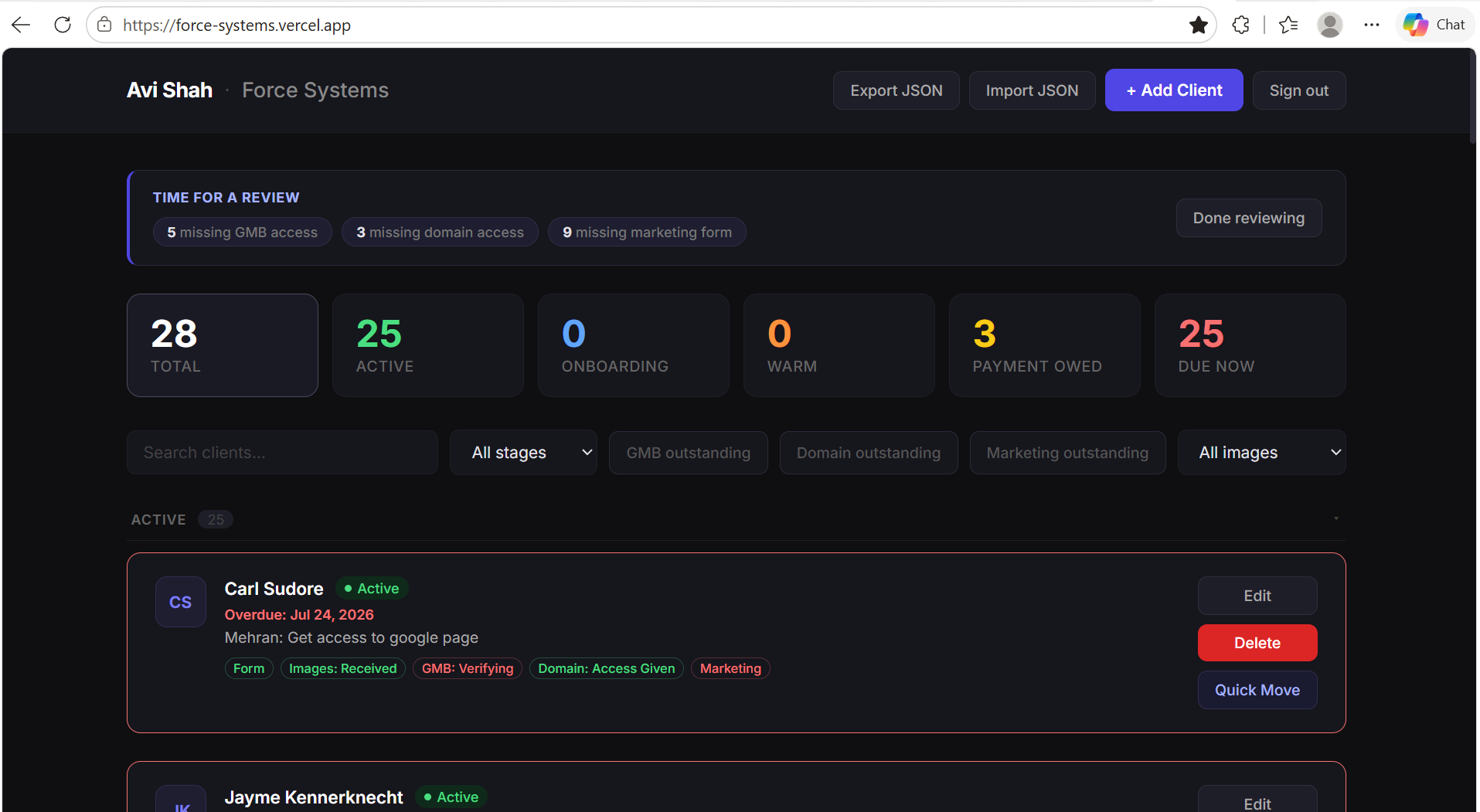
I built a lightweight operating dashboard to track client stage, missing access, overdue actions, payments and next steps in one place.

Custom Force Systems client operating dashboard

Revenue collection
inside the system.

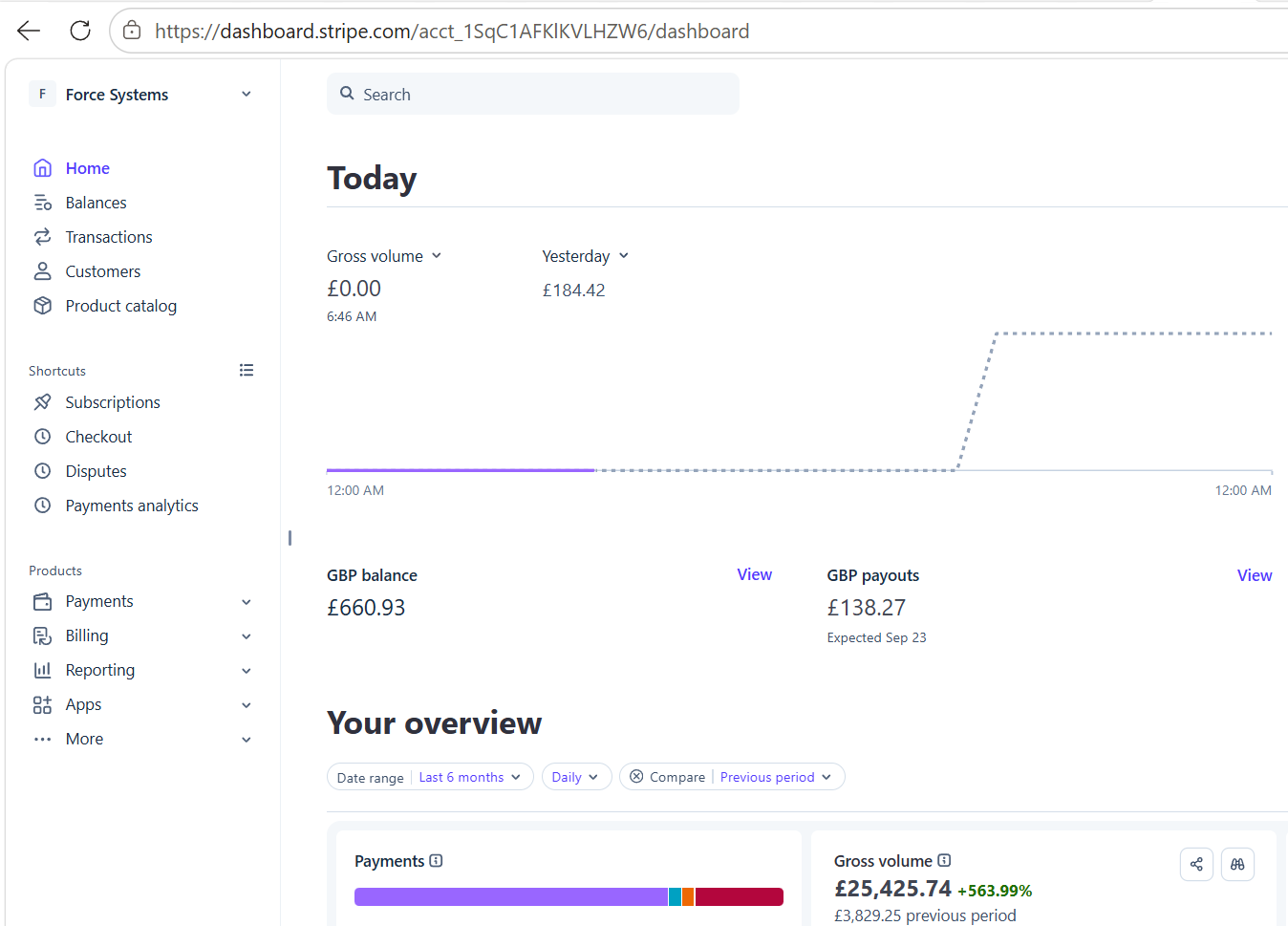
Stripe closes the loop. Billing and payment status sit alongside acquisition, onboarding and delivery rather than in a separate operating world.

Force Systems Stripe payments dashboard
StripeBilling + collections
See the live
landing page.
↗

The customer-facing page that starts the sales workflow.